Private Internet Access VPN
PIA Private Internet Access, IncTools
4.516.09K Reviews
- Version
- 4.1.0
- Installs
- 10.00M
- Age Rating
- Everyone
Screenshots
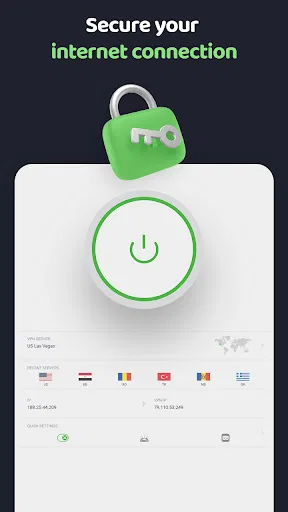
Our Review of Private Internet Access VPN
 Analysis by Appyee
I like a VPN most when it makes a useful privacy tool feel manageable rather than turning every connection into a technical project. Private Internet Access VPN aims for that balance: it can be used with a quick server connection, yet it also gives people who enjoy fine-tuning room to adjust settings such as DNS, port forwarding, and proxies. That range is its clearest appeal, though it also means the best experience depends on how much control you actually want.
On Android, it sits in the tools category and is developed by PIA Private Internet Access, Inc. The app is free to install, rated for Everyone, and has an average score of 4.5 from around 105,000 ratings. It has passed 10 million installs, which gives a new user a useful sense of how widely it is used, but popularity alone is not a reason to trust any VPN. I’d treat the app as one layer of a privacy routine, not as a substitute for careful account security or safe browsing.
What the customization is good for
The settings are where this VPN feels more distinctive than a basic one-tap privacy app. For everyday use, I’d start with a straightforward connection and leave advanced options alone until there is a reason to change them. If a particular network or setup calls for a different DNS arrangement, or you already understand why you need a proxy or port forwarding, having those controls available can make the app more adaptable than a bare-bones alternative.
That flexibility has a trade-off: more choices can create more opportunities to configure something incorrectly. I wouldn’t change a setting just because it sounds more secure. Make one adjustment at a time, keep track of what you changed, and test the apps or services you rely on afterward. If you simply want your phone’s traffic routed through a VPN without having to learn networking terminology, the default path is likely the sensible one.
How it fits into an ordinary day
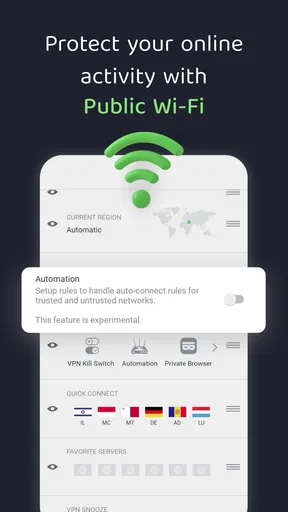
A practical use case is joining public Wi-Fi while waiting for a train or working from a café. I’d open the app, connect before signing in to sensitive accounts, and then use the connection as usual. If a page or app behaves strangely, I’d first check whether the VPN is still connected, then try a different server or temporarily disconnect to identify whether the VPN is the cause. That simple troubleshooting habit is more useful than changing several advanced settings at once.
It can also be a good fit for someone who moves between home Wi-Fi, mobile data, and unfamiliar networks and wants one app for managing a VPN connection. But a VPN does not make phishing links safe, prevent an account from being compromised by a reused password, or guarantee that every website will work normally. I still use unique passwords and pay attention to account warnings. The VPN’s role is narrower: it changes how the connection is routed, while many other privacy risks need different solutions.
Compared with simpler VPN apps
Many VPN apps are designed around a single large connect button and a short list of locations. That approach is easier for a first-time user, and it may be the better choice if you never intend to touch connection settings. PIA’s appeal is that it can serve that basic purpose while also offering controls that more technically curious users may want. I see that as a useful middle ground, not proof that every person needs the extra options.
The right comparison is therefore about your habits, not a feature-count contest. If you want a low-effort connection and do not care about DNS, proxies, or port forwarding, a simpler app may feel less cluttered. If you value having those settings available for a particular network or workflow, PIA has a more convincing case. Either way, I would avoid choosing a VPN solely because it promises to unlock content: access can vary by service and location, and a VPN is not a guarantee that a stream or site will be available.
The Ultimate Privacy Companion
First things first, Private Internet Access VPN is designed with privacy at its core. The app offers a no-nonsense approach to keeping your data safe from prying eyes. With the increasing number of cyber threats, having a reliable VPN is like wearing a seatbelt while driving on a busy highway. It’s essential!
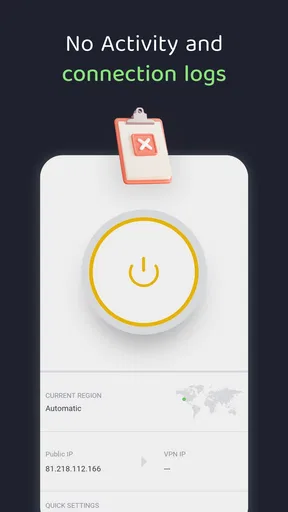
One of the standout features is the app’s strict no-logs policy. This means that your online activities are not recorded, which is a huge relief for anyone concerned about data privacy. Knowing that your internet footprint is virtually invisible is incredibly reassuring. Plus, with their military-grade encryption, you can browse, stream, and download with peace of mind.
Speed and Performance
Let’s talk speed because, let’s face it, no one likes a slow connection. One of my biggest concerns with using a VPN was the potential for sluggish internet speeds. But fear not! Private Internet Access VPN delivers fast and reliable connections. I’ve tested it on everything from streaming HD videos to downloading hefty files, and it’s been smooth sailing all the way.
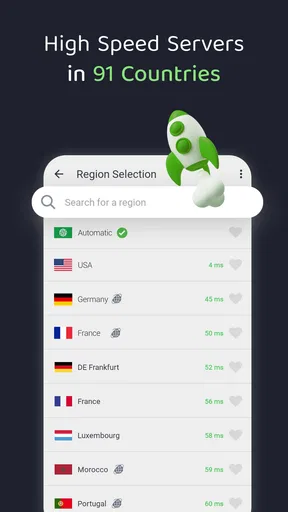
With over 35,000 servers in 77 countries, you’ve got plenty of options to choose from. Whether you’re trying to access region-specific content or just want to keep your connection blazing fast, this app has got you covered.
User-Friendly and Versatile
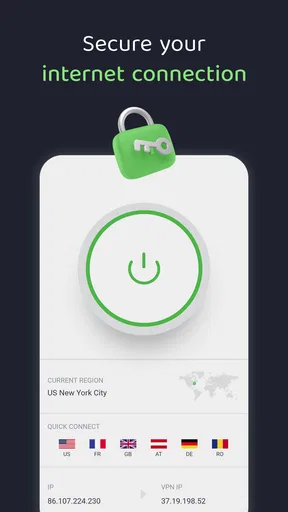
Now, I’m no tech guru, but setting up Private Internet Access VPN was as easy as pie. The user interface is clean and intuitive, making it perfect for both VPN newbies and seasoned pros. Connecting to a server is just a tap away, and the app runs seamlessly in the background without hogging resources.
Another thing I love is its versatility. It’s compatible with a wide range of devices including Android, iOS, Windows, and even routers. So, whether you’re on your phone, tablet, or desktop, you can maintain your privacy across all your devices.
Extra Features You’ll Love
Besides the basics, Private Internet Access VPN comes packed with some nifty features. The built-in ad blocker is a personal favorite. It not only blocks annoying ads but also helps speed up browsing by reducing load times. Who wouldn’t want a faster, cleaner browsing experience?
Another gem is the Kill Switch feature. Imagine you’re browsing online, and your VPN connection drops. Normally, this would leave you exposed, but with the Kill Switch, your internet connection cuts off until the VPN is re-established. It’s like having an automatic fail-safe to keep you protected at all times.
Choosing the right setup
For a first run, I’d keep the setup simple: connect, use a few everyday apps, and notice whether anything you depend on behaves differently. That gives you a useful baseline before you explore DNS choices, proxy settings, or port forwarding. If you later need one of those options, change only that setting and check the result, rather than trying several tweaks together. This makes it much easier to undo a change if a site, app, or local network feature stops working as expected.
Port forwarding is particularly easy to misunderstand. It is a specialized networking control, not a general privacy upgrade, and most people who only browse, message, and watch videos have no reason to adjust it. The same goes for proxy settings: they can be helpful in a specific configuration, but they add complexity. I’d choose PIA for the option to configure these tools, not because I expect to use every one of them.
Where the experience can be less smooth
VPN connections can affect how a service recognizes your location or handles a login, so a banking app, workplace system, or streaming platform may occasionally ask for extra verification or behave differently. If that happens, I’d first switch to another available server; if the service still does not cooperate, disconnecting for that task may be more practical. A VPN is valuable when it solves a real privacy need, but forcing it into every situation can create needless friction.
There is also a learning curve hidden inside the customization. Beginners may see DNS, proxies, and port forwarding and wonder whether they are missing essential protection. They are not settings that everyone needs to touch. I’d recommend this app to someone comfortable learning a little as they go, but a person who wants no decisions beyond tapping Connect may prefer a more stripped-down experience.
Who should choose it—and who should pass
I think PIA is a strong fit for users who want a practical phone VPN now and the ability to explore more detailed network controls later. It makes sense for frequent travelers, people who regularly use shared Wi-Fi, and technically curious users who already have a reason to configure DNS, proxies, or port forwarding. It can also suit someone who wants one familiar service across devices, provided they check which plan and platform options meet their needs.
I would not make it my first recommendation for someone who expects a VPN to provide complete anonymity or solve every online security problem. Nor is it the obvious choice for a person who never wants to think about connection settings and only wants the simplest possible interface. In those cases, a basic VPN with fewer controls—or no VPN if there is no clear need—may be a better match. The useful question is not whether a VPN has the longest settings menu, but whether its controls solve a problem you actually have.
Cost, updates, and a sensible trial
The app is free to download, with in-app purchases ranging from $5.90 to $74.99 per item. I’d check the available purchase details before committing, then decide based on how often I would use the service and which features I need. The Android version is 4.0.26 and requires Android 7.0 or later, so checking device compatibility before installing can save time on an older phone.
Because VPN apps change over time, I’d also keep the app updated and revisit the settings if an update changes the layout or connection behavior. That is especially worthwhile if you have manually configured anything: a quick check after an update helps confirm that your preferred setup is still in place. For most people, staying with the standard configuration and reviewing it only when there is a real issue is the least stressful approach.
Extra Features You’ll Love
Besides the basics, Private Internet Access VPN comes packed with some nifty features. The built-in ad blocker is a personal favorite. It not only blocks annoying ads but also helps speed up browsing by reducing load times. Who wouldn’t want a faster, cleaner browsing experience?
Another gem is the Kill Switch feature. Imagine you’re browsing online, and your VPN connection drops. Normally, this would leave you exposed, but with the Kill Switch, your internet connection cuts off until the VPN is re-established. It’s like having an automatic fail-safe to keep you protected at all times.
Is It Worth It?
So, is Private Internet Access VPN worth the investment? In my opinion, absolutely! With competitive pricing and a 30-day money-back guarantee, it’s a no-brainer. Considering the level of security, speed, and additional features you get, it’s a small price to pay for peace of mind in today’s digital age.
Whether you’re a frequent traveler, a streaming enthusiast, or just someone who values their online privacy, this app is a fantastic choice. It’s reliable, user-friendly, and offers a robust shield against the ever-present dangers of the internet.
In a nutshell, Private Internet Access VPN is like having a personal security team for your digital life. So, if you’re ready to take control of your privacy, give it a try. You won’t be disappointed!
Verdict
Strengths of Private Internet Access VPN
- Wide server network for global access.
- Strong encryption ensures data safety.
- User-friendly interface for easy setup.
- No-logs policy protects privacy.
- Allows up to 10 simultaneous connections.
Limitations of Private Internet Access VPN
- Speeds may vary depending on location.
- Occasional connection drops reported.
- Limited customization for advanced users.
- Customer support can be slow at times.
- Doesn't work with some streaming services.
Similar Picks in This Category
View All
Google LLC4.0

Gboard - the Google Keyboard
Google LLC4.5

Google Play services
Google LLC4.3

Google Play Store
Google LLC4.9

Files by Google
Google LLC4.5

SHAREit: Transfer, Share Files
Smart Media4U Technology Pte.Ltd.4.3
Frequently Asked Questions
What platforms does Private Internet Access VPN support?
Private Internet Access (PIA) VPN is available on a wide range of platforms including Android, iOS, Windows, macOS, and Linux. This ensures that users can secure their internet connection across all devices, providing comprehensive protection whether you're on a smartphone, tablet, or computer.
How many devices can I connect with one PIA VPN subscription?
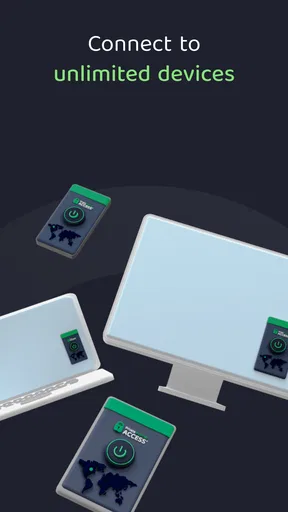
With a single Private Internet Access VPN subscription, you can connect up to 10 devices simultaneously. This feature is perfect for families or individuals with multiple gadgets, allowing them to ensure privacy and security on all their devices without purchasing additional subscriptions.
Does PIA VPN keep user logs?
Private Internet Access VPN maintains a strict no-logs policy. This means that it does not record or store any user activity, ensuring complete anonymity and privacy while browsing the internet. This policy is crucial for users who prioritize confidentiality and data security.
How does PIA VPN handle streaming and torrenting?
PIA VPN offers optimized servers for streaming and torrenting, allowing for reliable and fast connections. While accessing geo-restricted content on platforms like Netflix can vary, PIA generally provides good access. Its support for P2P traffic makes it a favorable choice for torrenting enthusiasts.
What security features does PIA VPN offer?
Private Internet Access VPN provides robust security features including AES-256 encryption, a kill switch, and DNS leak protection. These features are designed to safeguard your online activities from hackers and data snoopers, ensuring that your personal information remains secure and private at all times.
